Search K
Appearance
A Minute Creator license file is provided upon purchase. All license files issued by Tentech have a .lic extension, and multiple license files may come packaged within a compressed zip file.
To license Minute Creator, place the "MinuteView-Creator.lic" into the following directory;
C:\ProgramData\Autodesk\Vault %YEAR%\Extensions\Tentech.VaultCreator\ReferencesMake a note of the sub-directory \References as it's where you'll need to place the Minute Creator License file, along with other associated Minute Creator configurations.
Note
Set %YEAR% to the version of your installed Vault Client, such as 2023, or 2024 etc.
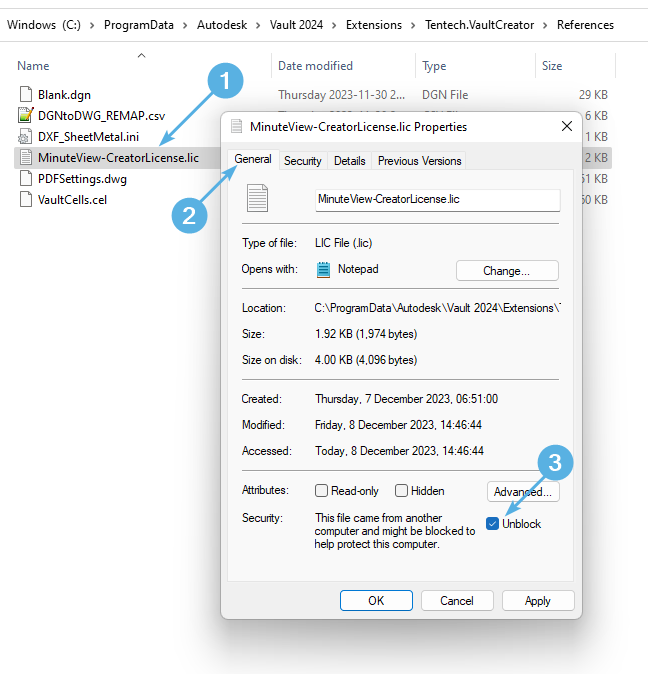
Once the license file has been placed into the directory.
Right-click the license file and select "Properties".
Click the General tab
Look for the "Unblock" check-box and check it, then select "Ok". This marks the license as trusted allowing it to work.